
Your Blog Gets Traffic But No Leads: Here’s Why
Forty blog posts published. Traffic going up. Not a single enquiry.
We hear this every week. And when a business has blog traffic but no leads, the writing is almost never the problem. The problem is who the posts were written for. Most SEO campaigns end up targeting people who are reading, not people who are buying.
Here’s how to tell if that’s what happened to you.
Traffic is not the goal
Sessions are easy to report, so they became the scoreboard. But 10,000 visitors who will never buy from you is worse than 300 who might. The big number just makes everyone feel like it’s working.
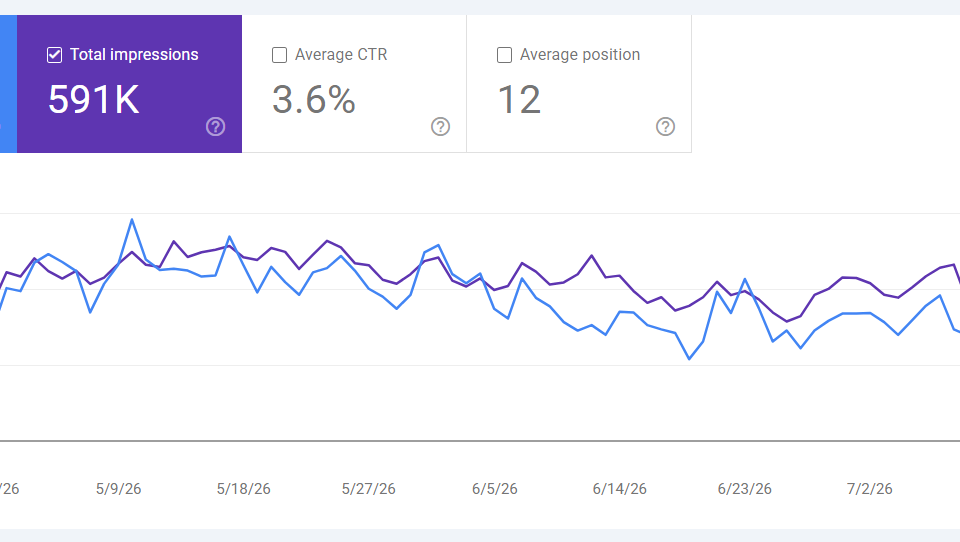
So you don’t really have a traffic problem. You have a wrong audience problem. That’s why seo traffic not converting feels so confusing. Clicks are up, impressions are up, rankings are up. The only number that hasn’t moved is enquiries.
Informational vs commercial keywords
Every search falls into one of these groups:
Informational. Someone wants to learn something. “what is hreflang”, “how does google ads work”
Commercial. Someone has a problem and is comparing options. “best shopify seo apps”, “seo agency vs freelancer”, “how much does seo cost”
Transactional. Someone is ready to buy. “seo agency london”, “hire shopify developer”
The informational vs commercial keywords split is where most blogs go wrong.
Informational keywords have the biggest search volume and the easiest topics to write about. So that’s where content plans go. A year later you have forty posts and all of them attract people who are nowhere near buying.
Commercial keywords get less traffic. But the person searching has already decided to spend money. They’re only working out where.
A quick example
You sell aquarium supplies.
“how to cycle a new aquarium” gets 8,000 searches a month. Great post. But the reader is a beginner who already bought their tank somewhere else. They read it and leave.
“best substrate for planted aquarium” gets 900 searches a month. This reader has a tank, wants a planted setup, and is choosing a product right now. They click through and buy.
One post gets nine times the traffic. The other one makes money.
Check your own blog in 20 minutes
Open Google Search Console. You don’t need any paid tool for this.
- Go to Performance, then Pages. Set the date range to the last 6 months.
- Take your top 20 pages by clicks.
- For each one, check the main query bringing those clicks.
- Label each query: informational, commercial or transactional.
Be honest here. If a query starts with “what is” or “how to”, it’s informational. Don’t talk yourself into calling it commercial.
Now add up the clicks in each column.
In most audits we run, 85 to 95 percent of the traffic sits in the informational column. Sometimes it’s all of it. That one number usually settles the argument about whether the content is good enough. The content can be excellent and still be aimed at people with no budget.
Four things to fix
1. Change what you publish next
For the next three months, aim for 70 percent commercial posts and 30 percent informational.
That means cost posts, comparison posts, “best X for Y”, “X vs Y”, and posts that solve a specific problem your buyers actually have. These search results are usually easier to rank in too, because everyone else is chasing the big volume keywords.
2. Fix your service and product pages
This one surprises people. Most companies post on the blog every week while their service pages sit there with two paragraphs written at launch.
Those pages are the ones meant to rank for buying keywords. They need real on-page SEO: a proper H1, actual depth, proof, FAQs, and internal links pointing at them.
For online stores it’s collection pages. They’re the highest intent pages you have and usually the thinnest. Fixing them is often the fastest win in an ecommerce SEO project, because the pages already exist and already have some authority.
3. Match your CTA to the reader
“Contact us to learn more” at the end of a beginner guide converts at close to zero. You’re asking someone who came to learn one small thing to jump into a sales call.
A commercial post can ask for a call. The reader is already shopping.
An informational post should ask for something smaller. A checklist, a template, a calculator. And put it inside the post, not in the sidebar. Sidebars are invisible on mobile.
4. Test with ads before you commit
Most people skip this one.
Before spending three months writing for a keyword list, run a small Google Ads test on the same keywords. Two weeks and a small budget will show you which ones bring real enquiries. Then build your content plan around the winners.
It costs far less than finding out the slow way.
What to expect
Commercial keywords have lower volume. So your traffic graph will probably flatten or drop. That’s normal.
Enquiries are what should go up.
- Weeks 1 to 2: Audit, internal linking, set up first touch tracking
- Weeks 3 to 4: Rebuild service or collection pages, run the ads test
- Weeks 5 to 12: Publish commercial posts, improve pages already sitting on page two
- Month 3: First leads from the new posts
If your team panics about flat traffic in month two, have that conversation now instead of later.
FAQs
Why isn’t my SEO generating leads even though my rankings went up? Because the rankings went up for keywords with no buying intent. Check which queries actually moved. If they all start with “what is” or “how to”, that’s your answer.
How long until commercial posts bring leads? Around 8 to 16 weeks for a new post. Much faster if you improve pages already ranking on page two, usually 3 to 6 weeks.
Should I delete my old informational posts? No. They help your site’s authority. Just add links from them to your service or product pages.
Can I fix this without writing new content? Partly. Internal linking and better service pages will move things. But to get buyers, you eventually need content written for buyers.
In short
Blog traffic but no leads is a keyword problem pretending to be a content problem.
Check your top 20 pages by intent. If informational wins, change what you publish, fix the pages that actually sell, and start tracking which post brought the lead.
Want someone to run that check for you? Book a free audit. No pitch. We’ll show you the split across your existing posts and what it takes to change it.